
A sponsor calls on a Monday: they have signed an LOI on a consumer brands business, $95 million EV, and want R&W cover. There is no data room yet, no SPA draft, nothing to read. What does an agentic workbench do on day one?
Less than you might think, and that is the point. Project Elm (illustrative) is the Engaged deal in the demo book. This post shows how it is opened, what the agents do on an empty data room, and how the workspace fills as documents arrive. Every name and figure is fictional.
| Actors | Deal broker, analyst, the sponsor's deal team |
|---|---|
| Deal | Project Elm Illustrative — consumer & retail, EV $95M |
| Ask | $9.5M over $950K (1% of EV) |
| State | Engaged; conflicts not yet cleared; no documents |
| Agents | Data room agent prepares the checklist request; the rest skip with a reason |
| Outcome | A deal on the pipeline, a request for the six checklist documents, and a workspace ready to read them |
Opening a deal
A new deal is a form: name, target, buyer and seller, sector, transaction type, EV, the lines, the limit and retention asked, signing and closing dates, the owner. The size band is derived from EV. A diligence workspace is created on the R&W placement playbook the moment the deal moves to Data room.
cleared?"} CC -->|"not yet"| E E --> W["Workspace on the
rw_placement playbook"] W --> DR["Data room stage"] DR --> A["Analyze"] A --> RQ["Data room agent:
request the checklist"] A --> SK["Other agents skip,
saying why"] style RQ fill:#fef3c7,stroke:#b45309
Step by step
The deal is created at Engaged with the sponsor as client. It appears on the pipeline with no findings and no quotes.
Conflicts are recorded as not cleared until compliance confirms; the controls will block quote selection until then.
With an empty data room every checklist item is a gap; the agent prepares the request to the deal team for the agreement, the schedules and the diligence reports.
The submission agent skips (“no purchase agreement in the data room yet”), the quote agent skips (“no quotes yet”), the binder agent skips (“nothing bound yet”). A skipped step is shown with its reason, not hidden.
The SPA draft and a QoE arrive; each is read into page-level pieces.
Reps classified, diligence gaps found, intelligence read from InsightPulse. The checklist request is superseded by a shorter one.
Approves, changes or rejects the first findings; approved ones go into the report and the submission.
What the screens show

Why an empty deal produces almost nothing
No facts, no reasoning
Each agent gathers facts before it reasons. With nothing to gather the agent does not call the model at all — there is nothing to ground an answer in. That is cheaper, and it means an early workspace never shows a confident paragraph about documents nobody has read.
| Agent | What it prepared | What it cites | Who decides |
|---|---|---|---|
| Data room | Request the checklist documents | Playbook vs an empty data room | Broker |
| Submission | Skipped: no purchase agreement yet | Data room | — |
| Quote | Skipped: no quotes yet | Quotes | — |
On the deal desk
Day one is a request and a pipeline card. The agents earn their keep from day four.
For IT and architecture
Uploads go to object storage, never local disk; without a store configured, uploads are refused.
For practice leaders
A skipped step with its reason is honest status — nobody mistakes an empty deal for a reviewed one.
Questions we get asked
Can a deal start without a data room?
Yes. It sits at Engaged; the stage machine requires a workspace for Data room and a purchase agreement for Submission.
Keep reading
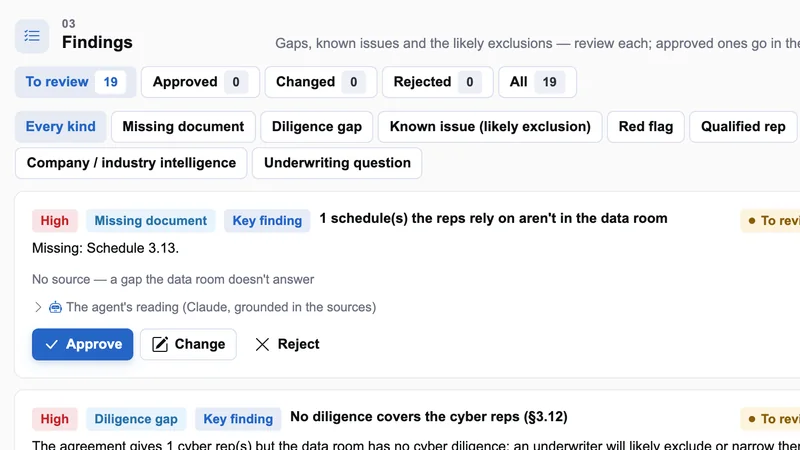
Insurance diligence findings arriving from InsightDueDiligence
The target's program review lands in the placement as known issues, cited to the diligence.
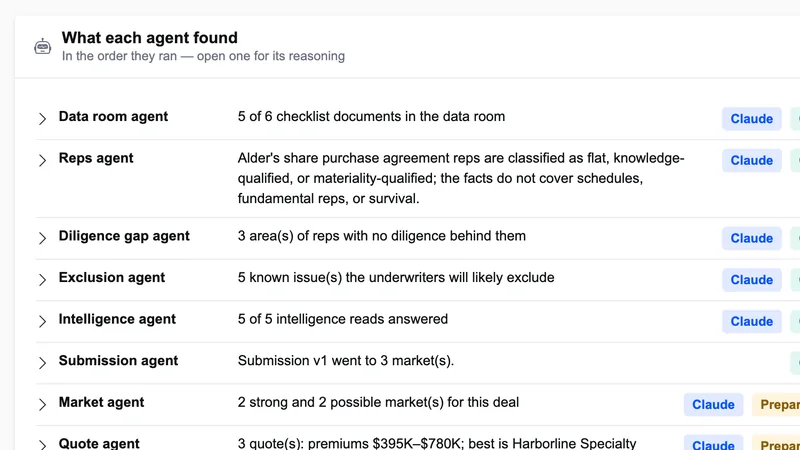
Company intelligence from InsightPulse
Subsidiaries, leadership, industry trends and adverse news, each with its as-of date.